 Fumetto
Reading manga translated into English: which app or website should you use?
A new chapter is out in Japanese, Korean or Chinese, and there's no English version yet. Here are four ways to read manga, manhwa and manhua in English, when each one makes sense, and what to check before you download a manga translator app.
Fumetto · Updated
The short answer
- There's an official English release: read that. It's translated and edited with care, and the money you spend reaches the creators.
- You only need the gist of a few pages: a camera translator app is enough. The translation shows up over the text in the photo.
- You want whole chapters that read like a finished translation: use a manga translator app that erases the original text and letters English into each speech bubble. Fumetto is one, coming soon to iPhone and iPad.
Four ways to read manga in English
Read the official English release
Publishers put many series out in English through their own apps and sites, such as MANGA Plus by SHUEISHA, VIZ Manga, K MANGA and WEBTOON. Some post new chapters the same day they come out in Japan or Korea, and many have a free tier.
The catch is coverage. Plenty of series, especially manhua and older or niche manga, never get an English release, and some apps work only in certain countries.
Use a camera translator app
General translator apps let you take or pick a photo and show the translation over the text in it. They're already on most phones, usually free, and fine for getting the gist of a page.
But they can't tell a speech bubble from text drawn into the art. Each block of text is translated on its own, without the story around it, so names and the way characters address each other drift from page to page. You also have to capture or save every page yourself.
Use a manga translation website
Some websites and browser extensions translate pages you upload, or the page you're viewing on a computer. Many of them already erase the original text and letter the translation into the bubbles.
The usual limits: your images go to their servers, free pages per day are capped, and they're less handy on a phone than on a computer. This guide doesn't point to sites that repost comics without permission.
Get a manga translator app
A manga translator app does most of what a scanlation team does: it finds the speech bubbles, reads the original text, translates it along with the story, erases the original and letters the translation in the same place. You read it like a chapter that was already translated.
Some apps open comic sites in their own browser; others need screenshots or downloaded files. Quality varies a lot between apps, so check the list below before you pick one.
Choosing a manga translator app: what to check
- Where the translation goes. Is the English set inside the speech bubble, sized to fit, or pasted over the art in a box? Look at the app's own before-and-after on a page with lots of dialogue.
- Names and forms of address. Read a few pages in a row. Do names stay the same, and do honorifics and the way characters address each other match who is talking to whom? Apps that translate one line at a time often get this wrong.
- Where you read from. A browser inside the app, CBZ, ZIP or PDF files, or only screenshots? For vertical-scroll webtoons, check that it handles long strips.
- Where your data goes. Does it translate on your device or send things online? If it sends something, is it the images or just the text, and where does it go? The app's privacy policy should answer all of this.
- Whether you wait. Does it translate the next pages while you read, or make you wait on every page?
- Cost and limits. How many pages are free, and is the paid plan per month or per page?
Reading manga in English with Fumetto
Fumetto is the comic reader we built around that list. Here is the same manga page before and after Fumetto translates it.
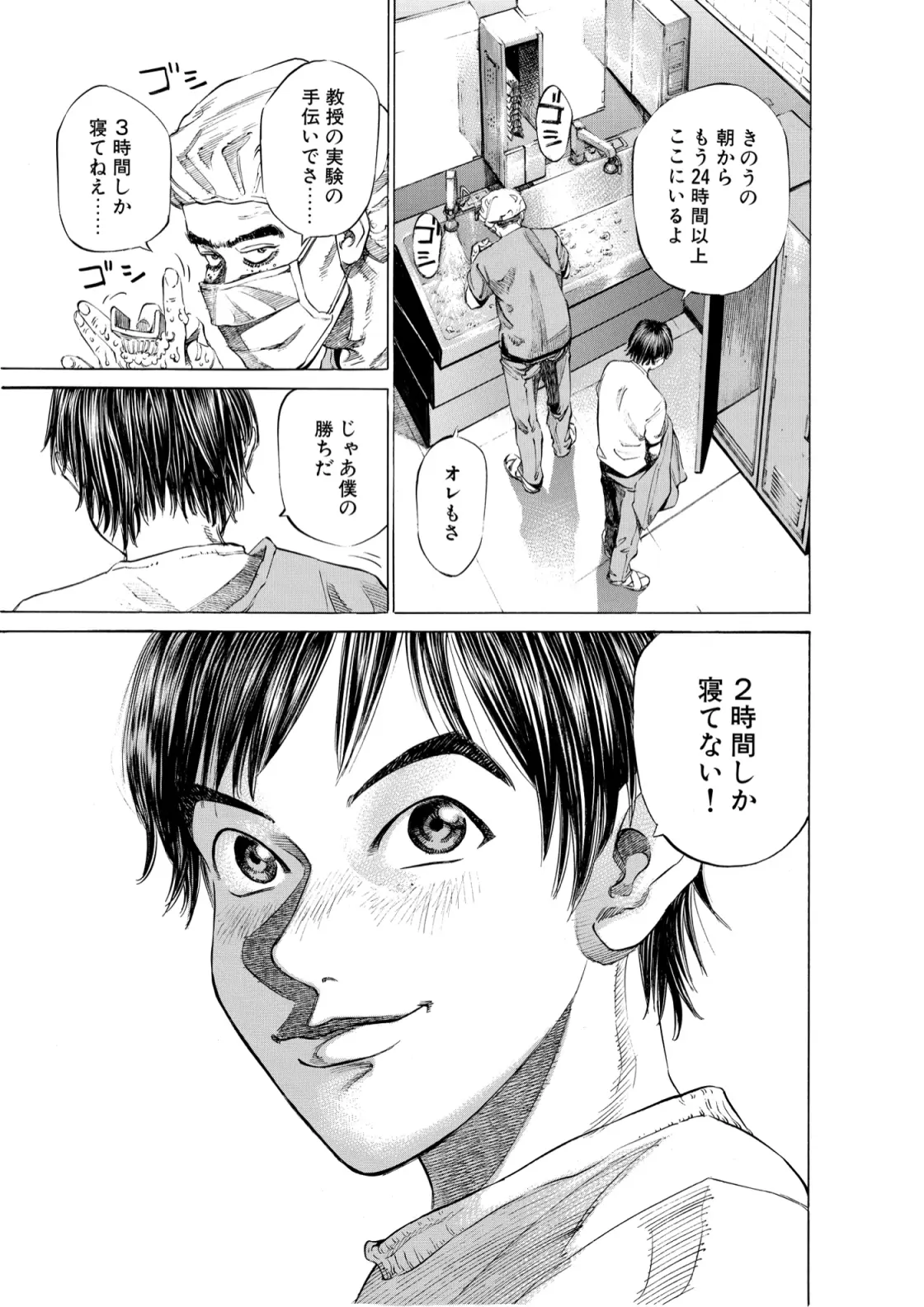
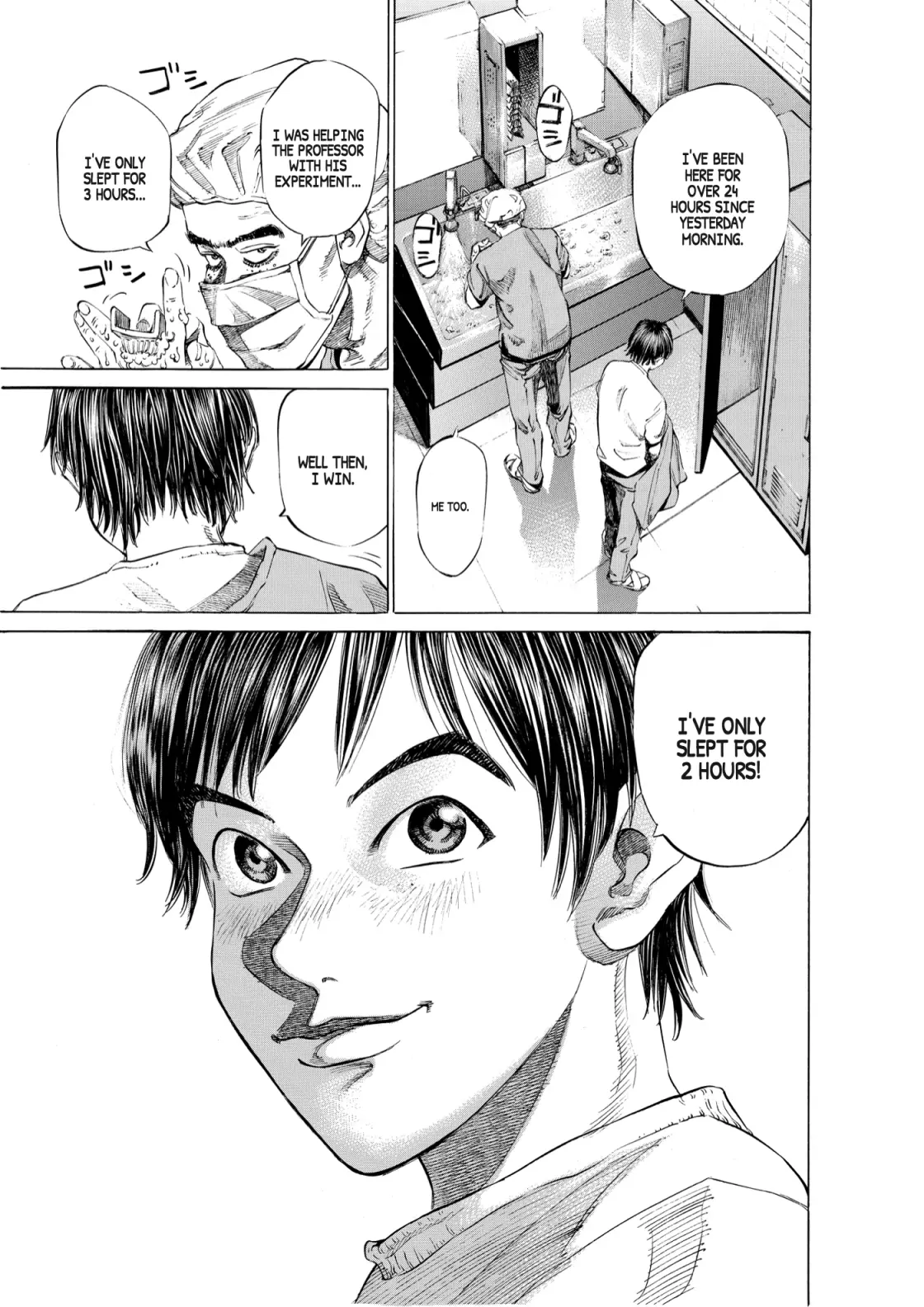
Reading a chapter:
- Open the browser in Fumetto and type the address of the comic site you already read, or search for the title. Comics saved on your device as CBZ, ZIP, PDF or images open too.
- Open the chapter you want. Fumetto reads the Japanese, Chinese, Korean or English text in each speech bubble.
- The original text is erased and the English fills in bubble by bubble. The pages further down are translated while you read.
You choose the translator. Apple Translation works on your device. Online Translation translates with the whole chapter in mind, so names and forms of address follow the story, and it sends the pages' text only after you agree. What leaves your device and where it goes is in the privacy policy.
Fumetto also keeps your reading history, so you open the same chapter at the same page, and files your comics on a shelf by series. There's more on the Fumetto home page.
Questions
What does “raw manga” mean?
A raw is the original, untranslated release, such as a manga chapter that just came out in Japanese. Reading raws in English means using a translator app to read that original in English instead of waiting for a translation.
Is there a manga translator app that works offline?
Yes. Once Apple's languages are downloaded, Fumetto reads and translates the text on your iPhone with Apple Translation, so the page doesn't go anywhere. You still need a connection to open a comic site; comics saved on your device read fine offline.
Can I use Google Translate to read manga?
Yes, if you only need the gist of a page: take or pick a photo in Google Translate's camera mode and the translation shows up over the text. To read whole chapters with the text inside the speech bubbles, use a manga translator app.
Does Fumetto work with manhwa, manhua and webtoons?
Yes. Fumetto reads Japanese, Chinese, Korean and English, so it works for manga, manhua, manhwa and vertical-scroll webtoons.
Does Fumetto host comics?
No. Fumetto doesn't host or provide comics; you read from your own sites and files. When a series has an official English release, support the creators by buying it.
Is Fumetto on Android?
Fumetto comes to iPhone and iPad first; Android and Mac follow.